


AI Video - AI Video Generator
4.56.56K Reviews
App Specs
- Version
- 2.8.4
- Updated On
- License
- Free
- Downloads
- 10,000,000+
- Developer
- HubX
- Categories
- Photography
- Platform
- Android, iOS
Screenshots
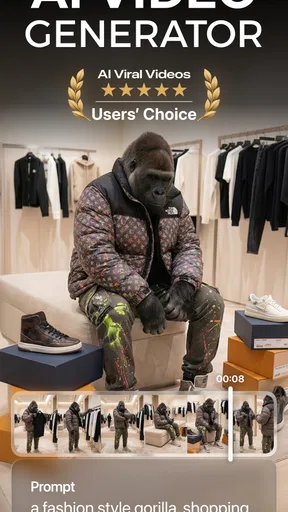
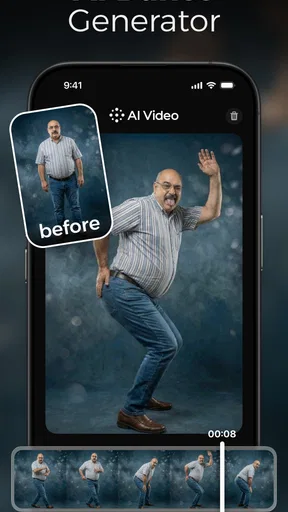
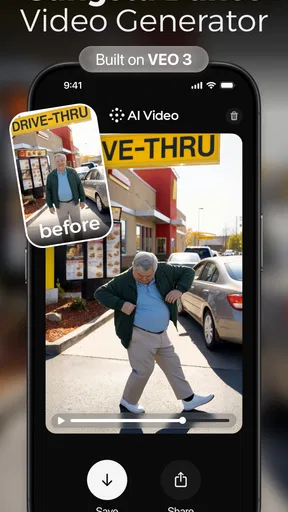
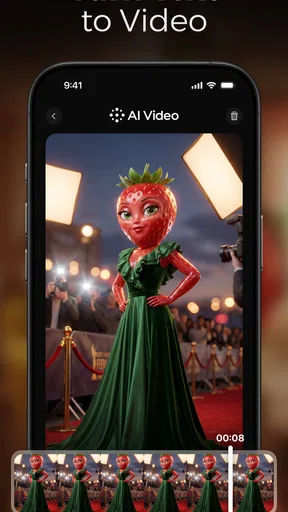
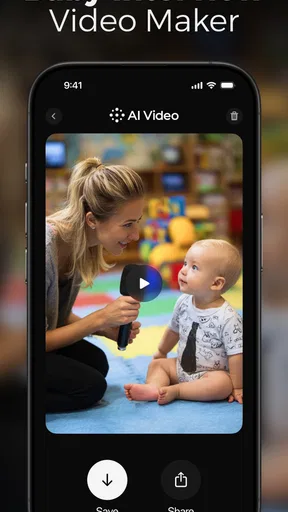
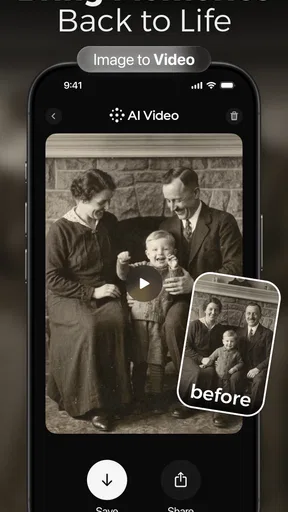
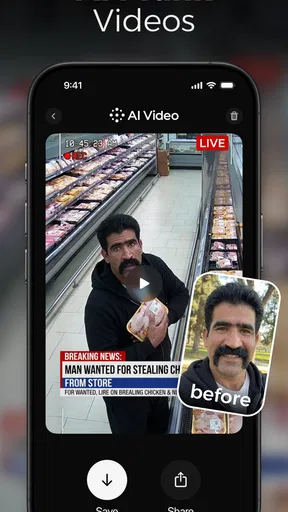
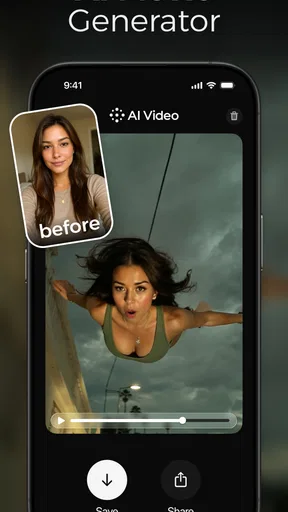
 Analysis by AppCompare
I’d treat AI Video - AI Video Generator as a quick creative tool rather than a replacement for a full video editor. Its appeal is the short route from an idea to a shareable clip: I can start with words or everyday footage and aim for something more polished without learning a complex editing workflow. That makes it interesting for casual creators, but it also means expectations matter. AI output can be a starting point, not a guarantee that every result will match the image in your head.
How quickly can you get from an idea to a clip?
The main promise is speed of effort, not a fixed rendering time. In a conventional editor, even a short social post can involve choosing footage, trimming it, arranging a sequence, and adjusting the look. An AI-led approach can reduce some of that hands-on work, especially when I have a clear concept and want to explore a visual direction quickly. I would still leave time to review the result rather than assume the first version is ready to publish.
A useful way to work is to make the request specific but not overloaded. Describe the subject, setting, mood, and intended format in plain language, then adjust one element at a time if the first attempt misses the mark. Changing several parts of a prompt at once makes it harder to tell what improved the result. This small habit is especially helpful when experimenting on a phone, where repeated editing can feel slower than it does on a larger screen.
For a simple everyday example, imagine I want a short visual for a weekend café post. I could begin with one clear idea, such as a warm, quiet morning atmosphere, and use the result as a draft to judge the tone before sharing. If it feels too busy or does not fit the café’s style, I can revise the description or choose a conventional editor for more exact control. That keeps the app useful even when the generated version is not the final one.
Where heavier use can become less convenient
Creative sessions often involve more than one attempt. I might test a few different descriptions, compare the mood, and then decide which version is worth keeping. That kind of exploration is where the distinction between a quick novelty and a dependable production workflow becomes important. Before starting a time-sensitive project, I would try a small prompt first, learn how the process feels on my device, and only then commit to a longer session.
AI generation also shifts some of the work from editing controls to decision-making. I still need to assess whether the scene makes sense, whether the visual emphasis is right, and whether the result suits its audience. A clip can look striking while communicating the wrong thing. For a personal experiment that may be fine; for a product announcement or a business post, I would check every detail and keep a more controllable editing option available.
There is a practical trade-off in using generated visuals for a consistent series. A one-off clip can benefit from surprise, while a set of posts may need the same visual language each time. If matching a brand style, exact timing, or a specific sequence is central to the job, a traditional timeline editor is usually the safer choice. This app makes more sense when I value a fast creative starting point over frame-by-frame precision.
Worth Reading Before You Choose

Baby Panda World Brings Quick Play to Modern Phones, but Its Game Library Feels Busy

ESPN’s Live Game View Makes Following Close Games Easier

QuizzLand Review: A Good Fit for Short Trivia Breaks, Not Every Player

Basketball Stars: Multiplayer Is Fast, but Can It Recover When Matches Go Wrong?

WEBTOON Turns Phone Updates Into a Better Reading Routine

Link to Windows Runs on Shared Habits, Not Social Feeds
Reliability means checking the result, not just the process
For me, reliability is not only whether an app opens; it is whether I can get a result that is usable for the purpose at hand. AI output can vary with the wording and the idea, so I would not plan an important post around a single attempt. Saving time for a review and a possible second direction is a better routine than leaving the work until the moment it needs to go live.
I also separate the creative stage from the final publishing stage. First I decide whether the visual communicates the point; then I consider whether its length, framing, and overall feel work on the platform where I intend to use it. That last check prevents a common disappointment: a clip can be appealing in the app but awkward in the context where people will actually see it.
Who will get the most from it?
This kind of tool is best for people who want to try an idea without building a video from scratch. Casual creators, people making informal social posts, and anyone curious about turning a written concept into moving imagery may enjoy the low barrier to experimentation. It can also help when I have a rough creative direction but no appetite for a long session of manual editing.
I would skip it as my main tool if I needed dependable control over every cut, precise synchronization, or a carefully repeatable visual identity. A standard editor is better for polishing footage, arranging a detailed narrative, and making exact changes. If the goal is simply to capture and preserve a family moment as it happened, a camera app and a light trim may be more faithful than asking AI to reinterpret it.
It is a photography-category app from HubX, and the name makes the video focus clear. It is free to install, with in-app purchases ranging from $4.99 to $69.99 per item, so I would check the purchase choices before settling into a regular workflow. Its Everyone age rating makes it broadly accessible, though adults should still guide younger users through any purchase decisions.
The app has a 4.6 average from around 584,000 ratings and more than five million installs. Those figures suggest that plenty of people have tried it, but they do not tell me whether a particular generated result will fit my needs. I would judge it with a small, low-stakes project before relying on it for work or a special occasion.
The Magic of AI Video
Imagine capturing those special moments, whether it's your dog doing a hilarious trick or a breathtaking sunset, and turning them into stunning videos without breaking a sweat. That's exactly what AI Video - AI Video Generator does. It uses AI technology to effortlessly edit and enhance your clips, making you look like a pro.
Getting Started
Getting started with the app is a breeze. After a quick download, you’re greeted with a user-friendly interface. No need to wade through a sea of tutorials; the app is intuitive enough for even the most tech-challenged among us. Simply upload your video, and the magic begins.
Features That Shine
Here’s where it gets exciting. The app offers a plethora of features that are both fun and functional:
- Automatic Editing: Let the AI take the wheel. It trims, edits, and stitches your clips together seamlessly.
- Special Effects: Add a touch of Hollywood with filters, transitions, and effects that bring your videos to life.
- Music Integration: Choose from a library of tunes or upload your own soundtrack to set the perfect mood.
Performance and Usability
Performance-wise, the app is quite robust. It handles high-resolution videos without lagging, which is a huge plus. The export process is quick, allowing you to share your creations on social media or with friends in no time. Usability is where the app truly excels, making video creation accessible to everyone.
Final Thoughts
In a world where content is king, AI Video - AI Video Generator is a game-changer. It empowers users to create professional-looking videos without the need for expensive equipment or software. Whether you're a budding influencer, a business owner, or just someone who loves capturing memories, this app is a must-try.
So, if you’re ready to take your video skills to the next level, give this app a whirl. Who knows? You might just be the next viral sensation! 🎥
When comparing it with familiar mobile video editors, I see two different approaches rather than a simple winner. A conventional editor puts the user in charge of a timeline and precise choices; this app is more appealing when the starting point is an idea and I want AI to help shape the visual result. If I already have footage that must stay true to what happened, hands-on editing gives me more predictable control. If I’m exploring a concept, generation can be the more enjoyable first step.
Small choices that make experimentation more useful
I would keep early tests narrow. Instead of asking for a whole campaign or a complicated sequence at once, I would try one scene or one mood, see what the app makes of it, and then refine the direction. That makes each attempt easier to evaluate and reduces the chance of spending time on a result that is visually interesting but unrelated to the message I wanted to share.
It also helps to decide what “good enough” means before generating. For a playful post, an unexpected detail may be part of the charm. For a business or informational clip, clarity matters more than novelty, so I would reject a striking result if it makes the subject confusing. This is one of the main trade-offs with AI-assisted creation: it can offer creative momentum, but the user still has to act as editor and judge.
What to expect from your phone
Because this is a video-focused creative app, I would use it with a practical eye on the device in my hand. More demanding creative work can feel different across phones, and a long session of trying variations is not the same as making one quick clip. I would keep the app updated, avoid starting a large batch of experiments when I am short on time, and make sure I have room to review the output before sharing it.
Compatibility matters too: the minimum operating-system requirement is version 7.0. The current version is 2.6.2, so I would check that my device can run it before planning to use it for a project. These details do not promise a particular speed or result on every phone; they simply help set a sensible starting point for deciding whether it is worth trying.
When I would reach for another tool
If I need exact cuts, careful narration timing, or a repeatable sequence that must match existing footage, I would choose a standard editor first. If the task is to make a quick concept clip, test a visual idea, or add some creative variety to casual posts, I would give AI Video - AI Video Generator a try. The right choice depends less on whether AI sounds exciting and more on whether I need freedom to experiment or control over every detail.
My practical recommendation is to begin with a low-stakes idea, explore one direction at a time, and review the finished clip as if I were seeing it in someone else’s feed. That gives me a fair sense of the app’s pace and creative fit without expecting it to replace every part of video editing. For approachable experimentation, it has a clear appeal; for precision-critical work, I would keep a traditional editor in the toolkit.
Pros
- Easy-to-use interface for beginners.
- Wide range of AI-generated effects.
- Fast processing time for videos.
- Supports multiple video formats.
- Regular updates with new features.
Cons
- Limited free version features.
- Requires high-speed internet.
- Occasional AI glitches in effects.
- Subscription can be pricey.
- Not ideal for professional editing.
FAQs for AI Video - AI Video Generator
What is AI Video - AI Video Generator?
AI Video - AI Video Generator is an app that allows users to create high-quality videos using artificial intelligence. The app offers a range of features for editing, enhancing, and generating videos with minimal effort. It's designed for both beginners and experienced creators looking to streamline their video production process.
How does the AI technology work in AI Video?
The AI technology in AI Video analyzes your content and automatically applies enhancements, transitions, and effects to create a polished video. It uses machine learning algorithms to understand the context and elements of your clips, ensuring each video is tailored to meet your creative vision while maintaining professional quality.
What features does AI Video offer for video editing?
AI Video provides a comprehensive suite of editing tools, including trimming, cropping, adding text, and applying filters. It also offers AI-driven features like automated scene detection and smart music integration. These tools are designed to help users create compelling videos effortlessly, whether for personal or professional use.
Is AI Video suitable for beginners?
Yes, AI Video is designed to be user-friendly, making it suitable for beginners. The intuitive interface and AI-driven suggestions simplify the video creation process. Tutorials and guides are also available within the app, assisting new users in navigating features and making the most out of their video projects.
Does AI Video require an internet connection to function?
While some features of AI Video, like cloud-based processing and updates, require an internet connection, the app can perform basic editing functions offline. However, for optimal performance and access to all AI features, it's recommended to have a stable internet connection when using the app.


